Costs
Part of On-page SEO: a focused business guide for 2027
How to Improve On-Page SEO: A Practical Workflow
A practical workflow for how to improve on-page SEO: page selection, page contracts, stronger content, aligned signals, rendered checks, release, and learning.
What to take away
- Choose pages by customer and business opportunity, evidence gaps, access problems, stale claims, and release risk rather than applying identical edits everywhere.
- Write a page contract, strengthen the information, and align titles and structure before adding optional presentation features.
- Test the rendered page, document the release and guardrails, and review both search diagnostics and qualified outcomes after a suitable maturity window.
Learning how to improve on-page SEO begins with diagnosing the business and customer problem. Choose a coherent group of pages, establish a baseline, and change the elements most likely to prevent understanding, discovery, selection, or task completion.
Choose pages by opportunity and risk
Group pages by template and purpose. Prioritize pages with meaningful impressions but weak task alignment, obsolete information, conflicting destinations, poor conversion, accessibility barriers, or business importance. Exclude migrations, major campaigns, and stock changes from early tests if they would make results difficult to interpret.
Anchor each page to one primary query and the search intent behind it — informational, commercial, or transactional — and map the related phrases the page genuinely answers. A page that serves a different intent than the query it targets will not improve just because its title, headings, and markup are tidy.
Page Selection Risk Factors
- Meaningful impressions but weak task alignment
- Obsolete information
- Conflicting destinations
- Poor conversion
- Accessibility barriers
- Business importance
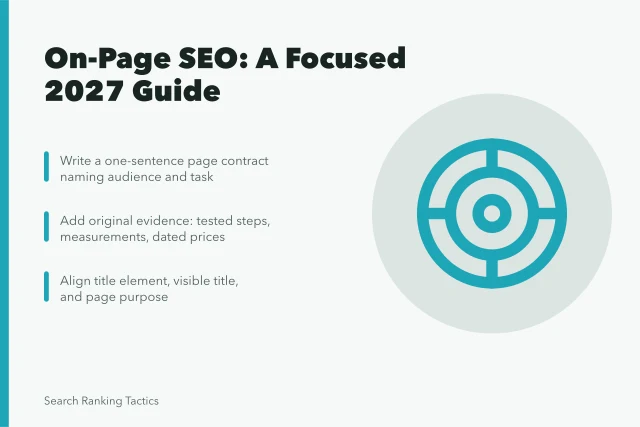
Write a page contract
For each page, name the audience, market, task, required proof, next action, and neighboring destinations. Inspect current results and customer language. Decide whether the page should be improved, consolidated, redirected, restricted from indexing, or retired. More text is not the default answer.
Page Contract Elements
- Audience
- Market
- Task
- Required proof
- Next action
- Neighboring destinations
Worked example. A retailer's returns page for US shoppers. Audience: people who already bought and want their money back. Task: start a return in under two minutes. Proof: the return window, who pays shipping, and the condition rules. Next action: open the return form. Neighboring destinations: the shipping page and the contact page.
Strengthen the information
Add original facts, tested steps, examples, expert review, limitations, and dated primary sources. Put the direct answer near the start. Organize major decisions with descriptive headings, and remove paragraphs that merely repeat the query. Make ownership, method, and correction paths visible when they affect trust.
Align page signals
Create a concise title element and distinctive main heading that describe the same purpose. Write a specific meta description without assuming Google will show it. Align the canonical, index directives, internal links, image alternatives, structured data, and feeds with the visible page. Name the schema types the page actually uses, such as Article, Product, FAQPage, or BreadcrumbList, and check them in Google's Rich Results Test.
Link to useful next steps using understandable anchors, and prefer links inside the body over repeated navigation so each important page has a related page pointing to it. Give every page one short, lowercase, descriptive URL built from words instead of dates or IDs, and keep a single canonical version of it.
Test the rendered page
Check source and rendered HTML, mobile layouts, keyboard navigation, forms, media, and real-user performance. The web.dev overview of Core Web Vitals names the three metrics to watch: Largest Contentful Paint (LCP) for loading, Interaction to Next Paint (INP) for interactivity, and Cumulative Layout Shift (CLS) for visual stability. It recommends evaluating the seventy-fifth percentile of each, segmented by mobile and desktop. Keep these as experience signals, not ranking or conversion guarantees.
Compare the same items in all three views: source, rendered, and indexed. Check the title element, the main heading, the meta robots directive, the canonical URL, image alt text, and the primary call to action link. Also check any price or key fact that customers rely on.
Take the rendered view from the browser inspector or a rendering tool. Take the indexed view from Search Console URL Inspection. Record each difference, then decide whether it comes from the template, the content, or the index.
Release and learn
Record the changed URLs, hypothesis, release date, measures, guardrails, and evaluation window. Google's single-page inspection guide says URL Inspection can show what Google knows about a page and test a live version against many appearance requirements. Compare the live and indexed views, note omissions, and then connect search diagnostics to customer and business evidence.
Example thresholds. A typical baseline is four weeks of impressions, clicks, and qualified conversions before release. A typical guardrail is that clicks to the page do not fall more than 10 percent in the first two weeks, and a drop below that floor triggers a rollback.
A typical maturity window is eight weeks before you judge the outcome, because seasonality and indexing lag distort shorter reads.
Decision table
| Improvement stage | Record | One-line action | Decision gate |
|---|---|---|---|
| Selection | Opportunity, problem, evidence, risk, and owner | Name the page owner and the problem the page fails to solve. | Is this the right page? |
| Contract | Audience, task, proof, next action, and exclusions | Write the contract in one screen before any edit. | Is its job defensible? |
| Information | Original facts, method, examples, dates, and limits | Add the missing proof and move the direct answer up. | Does it add value? |
| Release | Rendered checks, hypothesis, guardrail, and rollback | Fix the differences found in the rendered view before launch. | Did the intended change ship? |
| Learning | Search, customer, and business evidence | Compare the baseline after the maturity window. | Keep, revise, or reverse? |
Further reading
Google's Search Essentials sets out the technical requirements every page must meet and the spam policies that apply to on-page work, and it is the baseline the rest of this workflow builds on.
Google's Search Console documentation explains URL Inspection, the Core Web Vitals report, and the enhancement reports for structured data, which is where you check what Google recorded for a page.
Common questions
What is the fastest way to improve on-page SEO?
Fix the material constraint on an important page, such as unclear purpose, stale information, blocked content, broken interaction, or mismatched customer expectations.
Should every page receive the same optimization template?
No. Page roles, audiences, evidence, market, risk, and next actions differ. Standardize controls and records while tailoring the customer answer.
How should a team evaluate an on-page change?
Preserve a baseline and release record, verify production, monitor search and experience diagnostics, and compare qualified outcomes after a suitable maturity window.